Overview
This application is a small example that highlights how to integrate the {qrcode} package 📦 into shiny.
This might at first seem trivial — “just generating a QR code?” — but when paired with the right information, QR codes can actually become a powerful way to communicate data and metadata 📦
For example, imagine embedding metadata about how a figure was generated — the selected Shiny inputs, slider values, and filters applied. That’s instant context. String interpolation is your friend here 🎯
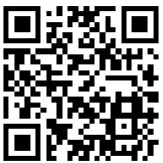
Try it yourself 👇 by scanning the QR with your 📞
🧩 Data and Metadata Examples
You can easily enrich your QR codes with:
🕒 System information: date, time, session ID
👤 User info: pulled automatically (e.g., session$user in Posit Connect)
📊 Data provenance: source files, query timestamps, or version numbers
When your app runs on Posit Connect, this becomes even more useful — you can automatically tag content with who generated it and when via the session object.
💡 Why It Matters
On a more thematic level, QR codes offer a new layer of tractability in your analytics workflow. If your app generates outputs — say, plots or reports — you can encode contextual details about the data source or analysis parameters directly into a QR code.
It’s like leaving a digital breadcrumb trail for reproducibility 🧵
🧱 Where to Use Them
QR codes are super flexible — you can insert them into:
📈 Plots via {ggplot2} or {patchwork} (e.g. inset, or adjacent)
📄 Documents (PDF, DOCX, PPTX) using {officer}
🖥️ Directly inside your Shiny app’s UI
🔗 Resources
If you find creative uses ️💡 for them, I’d love to know about it. Be sure to also check out the other features of the {qrcode} package:
Till next time, 🍻🌴